
How to Play
Play Bot Mode
Play Bot turns the app into a sparring partner. Set strength and randomness to match your level, then click Play Bot Move to let the engine respond to the current position. If you enable Keep playing, the bot will answer after every move you make.Use this mode to practice ideas in a realistic setting. You can still flip the board, reset positions, and undo moves to try different approaches. It is a fast way to test openings, endgames, or specific tactical themes without leaving the app.
Board Detection (in any of the modes)
Board Detection lets you import a screenshot and instantly reconstruct the position on the board. Use “Open Image…” button (or drag a screenshot directly onto the board) then wait for the detection status to confirm the result. You can then adjust the next‑move side by choosing which side has the next move and continue straight into analysis or play without manually setting up the position.If the detected orientation is wrong (i.e. the pawns move in the wrong direction, which can happen when the position doesn't have many pieces left), use the Rotate button to correct the view.
Board detection works best if you leave a little margin around the chess board (like half a square wide margin around the chess board).
Analyze Variations Mode
This mode helps you explore the decision tree from the current position. Choose how many alternatives you want per move, then click Analyze to see the top candidate moves the engine considers. The list shows the current branch, while the gray alternatives underneath keep prior choices visible so you can jump to a different branch without losing context.Use this mode when you want to understand "what if" options move by move. Select a branch to advance the line, then keep drilling down to compare follow‑ups. The board updates with each selection so you can visually evaluate the resulting position while keeping the rest of the tree within reach.
Analyze Best Lines Mode
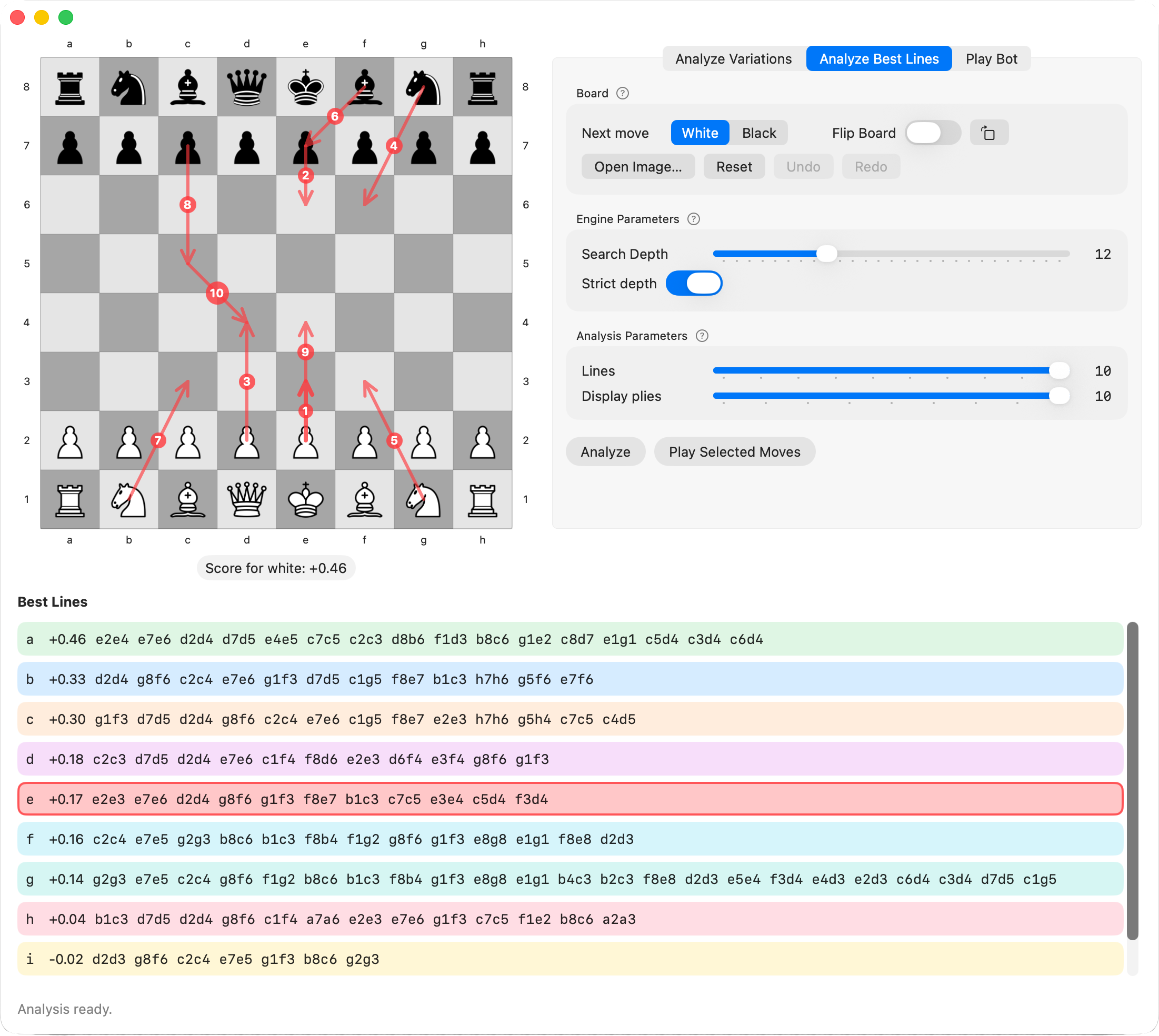
This mode gives you a compact overview of the strongest full lines in the position. Set how many lines you want and how many plies to display, then click Analyze to populate the ranked list. The arrows on the board mirror those lines, and you can select any line to focus on just that variation.Use this mode when you want a high‑level snapshot of engine recommendations. It is ideal for quickly comparing candidate plans, evaluating tactical sequences, or preparing a response to a specific move. You can also play a selected line to see it unfold on the board.